Voice Assistant Guide
Alexa, Google Home or Siri?
The honest comparison.
You'll use your voice assistant every day. Getting it wrong means 3 years of frustration. This guide gives you a straight answer in 3 minutes.
Find my setup →Android + Google services → Google Home. Apple household → Siri/HomeKit. Most device choices → Alexa.
👇 Use the assistant already on your phone. Switch only if your device ecosystem forces it.
Which assistant fits your life?
I'm in the Apple ecosystem (iPhone, Mac, iPad)
Apple usersHomeKit + Siri is the most seamless experience for Apple users.
→ Go with Siri / HomeKit
I want the widest device compatibility
Alexa supports more smart home devices than any other assistant.
→ Go with Alexa
I want the smartest answers and Google Search integration
Google Home is the best for general knowledge and routines.
→ Go with Google Home
What each assistant actually does
🔵
Amazon Alexa
The smart home specialist. Works with the most devices (100,000+). Best for pure smart home control, routines, and buying Amazon hardware. Lives in Echo speakers.
🟢
Google Home
The smartest assistant. Best general knowledge, best calendar/Gmail integration. Works great with Android phones. Lives in Nest speakers and displays.
⚪
Apple Siri / HomeKit
The most private assistant. Best for iPhone/iPad/Mac users — seamless integration. HomeKit is rock-solid reliable. Lives on Apple devices and HomePod.
Our tool finds your ideal setup in 60 seconds.
Find my setup →Side-by-side comparison
| Option | Pros | Cons | Best for |
|---|---|---|---|
Amazon Alexa🏆 Amazon Alexa |
|
| Smart home power users, non-Apple households |
Google Home |
|
| Android users, Google Workspace users |
Apple Siri / HomeKit |
|
| iPhone/iPad/Mac users who prioritize privacy |
💡 Tip
Most smart devices support all three assistants simultaneously — you don't have to choose just one.
Most device choices in 2025.
Amazon Alexa
Works with more smart home devices than any other assistant. If you're unsure which to pick, Alexa is the safest default.
Find my setup →⚠ Common voice assistant mistakes
- 1
Mixing two ecosystems on purpose
Having both Alexa and Google Home active creates confusion — especially when devices respond to different wake words. Pick one as your primary and keep the other silent.
- 2
Buying an Echo just for the speaker
Echo speakers have average sound quality. If music is your priority, get a Sonos or a Bluetooth speaker. Get an Echo for smart home control, not audio.
- 3
Assuming Siri controls all smart home devices
Siri only controls HomeKit-certified devices. Many cheaper smart home products aren't HomeKit certified. If you're in the Apple ecosystem, check the HomeKit logo before buying.
- 4
Forgetting voice assistants need internet
All three assistants require internet for voice processing. Local control via app usually works offline, but "Alexa, turn on the lights" won't work during an outage.
⚠️ Common mistake
Don't choose your assistant based on which speaker looks nicest. Choose based on which ecosystem your devices support.
Not sure which one is right for you?
Find my setup →Our recommended starting hardware
One entry point per ecosystem — proven, reliable, affordable.
Going with Alexa? → Start with the Echo Dot.
 #1
#1Amazon Echo Dot (5th gen)
The best entry-level Alexa device. Full Alexa voice control, decent sound for the price, and a built-in Zigbee hub in the Echo 4th gen. Perfect starting point for Alexa smart home.
Best for:Best Alexa entry point — controls any Alexa-compatible smart device.
Going with Google? → The Nest Mini is your hub.
 #2
#2Google Nest Mini (2nd gen)
The best entry-level Google Home device. Connects to your Google account instantly, controls all Google Home-compatible devices, and sounds surprisingly good for its size.
Best for:Best Google Home entry — seamless for Android/Gmail users.
Apple ecosystem? → HomePod Mini is your foundation.
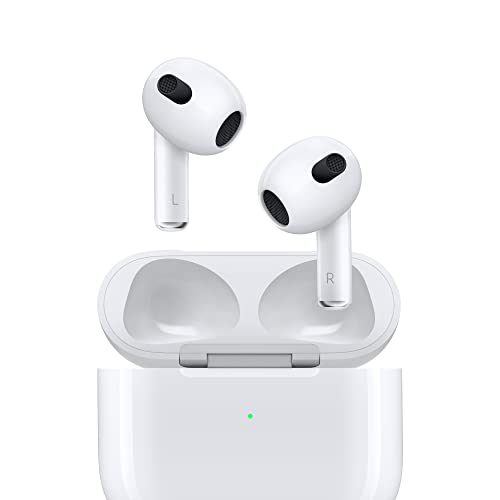 #3
#3Apple HomePod Mini
The best HomeKit hub. Acts as a Thread border router for Matter devices, gives Siri always-on access, and doubles as a surprisingly good speaker. Essential for the Apple smart home.
Best for:Best HomeKit hub — Thread + Siri + great audio in one.
Which assistant for which situation
📱
iPhone + Mac household
HomeKit + HomePod Mini. Privacy-first, local control, seamless with your existing devices.
🤖
Android + Google Workspace
Google Home + Nest speaker. Calendar reminders, commute alerts, and smart home control in one.
🛒
Amazon Prime household
Alexa + Echo. Shopping lists, delivery alerts, and the widest smart home device support.
🏠
Multi-brand smart home
Matter bridges the gap. All three ecosystems support Matter — buy Matter-certified devices and any assistant will control them.
🚀 Quick recommendation
Use the assistant already on your phone. Switch only if your device ecosystem forces it.
Not sure which ecosystem to build on?
Answer 5 quick questions — including what devices you already own — and get a personalised recommendation with the right products for your ecosystem.
Find my setup →Free · 60 seconds · No account needed
Frequently asked questions
Can I use Alexa and Google Home at the same time?
Technically yes, but it's not recommended. Having both active creates wake-word conflicts and confusion about which devices are controlled where. Pick one primary ecosystem.
Do smart bulbs work with all three assistants?
Most major brands (Philips Hue, TP-Link Tapo) support all three. Always check the packaging for the Alexa, Google Home, and HomeKit logos before buying.
Is HomeKit more secure than Alexa or Google Home?
HomeKit uses local processing and Apple's end-to-end encryption — making it the most privacy-focused option. Alexa and Google process voice commands in the cloud.
What's the cheapest way to try voice control?
Any smartphone already has Google Assistant (Android) or Siri (iPhone) built in. Try controlling a €13 Tapo bulb with your phone's built-in assistant before buying any speaker.
Does Matter mean I can finally use any device with any assistant?
Yes, that's exactly the promise. A Matter-certified bulb can be added to Alexa, Google Home, or HomeKit simultaneously. The ecosystem war is effectively over for Matter devices.