Home Assistant Guide
Home Assistant for Beginners
Is it really worth it for you?
Powerful, free, and privacy-first — but also more setup than a plug-and-play system. Here's what you need to know before you start.
Find my setup level →Should you use Home Assistant?
I want everything to just work with no tinkering
Home Assistant might frustrate you. Tapo, Hue, or Ikea apps are simpler and work great for most setups.
→ Stick to branded ecosystems
I want local control and privacy — no cloud
Home Assistant is the gold standard for local, cloud-free automation. Worth the learning curve.
→ Home Assistant is for you
I want to connect devices from multiple ecosystems
HA natively supports 3000+ integrations. If you have Zigbee, Z-Wave, and Wi-Fi devices, it's unbeatable.
→ Home Assistant is the right choice
What makes Home Assistant different
🔒
Local & private
Everything runs on your hardware. No cloud dependency — your data never leaves your home.
🔗
3000+ integrations
Philips Hue, Tapo, Ikea, Somfy, Zigbee, Z-Wave — HA talks to virtually everything.
🧩
Unlimited automation
If/then logic, time triggers, presence detection, energy monitoring — no limits on what you can build.
Home Assistant vs branded apps
| Option | Pros | Cons | Best for |
|---|---|---|---|
Home Assistant |
|
| Tech-comfortable users who want full control |
Tapo / Philips Hue app |
|
| Most beginners and renters |
Apple Home / Google Home |
|
| Users already in Apple or Google ecosystem |
⚠ 5 beginner mistakes with Home Assistant
- 1
Starting with complex automations
Get your devices added and stable first. Automations come later. Start with one light, one sensor, one rule.
- 2
Skipping backups
HA config takes time to build. Set up automated backups to a USB drive or cloud before you do anything else.
- 3
Running HA on an old laptop
A Raspberry Pi 4 or HA Green is more stable and uses less power than a repurposed laptop. Dedicated hardware matters.
- 4
Mixing too many protocols at once
Pick one (Zigbee is the most popular) and get comfortable before adding Z-Wave or Wi-Fi devices.
- 5
Not using HACS
Home Assistant Community Store unlocks hundreds of extra integrations. Install it early — it changes everything.
Not sure which one is right for you?
Our tool finds your ideal setup in 60 seconds.
What you need to run Home Assistant
The minimum hardware to get started — plus the Zigbee stick most HA users recommend.
Recommended starter hardware
 Easiest start
Home Assistant Green
The official plug-and-play HA hardware. Pre-installed, no SD card fuss, silent and energy efficient. The easiest way to start.
Best for:Anyone who wants Home Assistant without the Raspberry Pi setup hassle
Zigbee coordinator
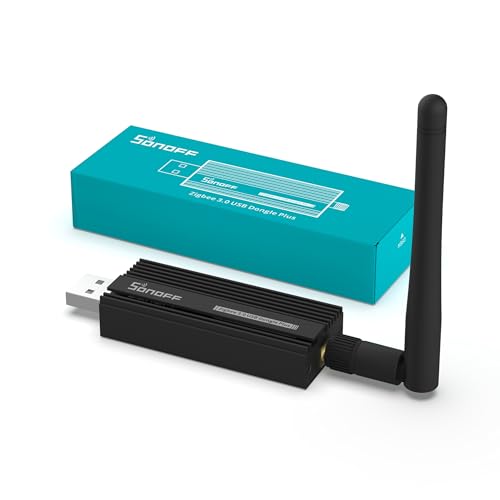
Sonoff Zigbee 3.0 USB Dongle Plus
The most popular Zigbee USB coordinator for Home Assistant. Plug in, add the ZHA integration, and you're ready to pair Zigbee devices.
Best for:Anyone adding Zigbee devices to Home Assistant
First Zigbee bulb
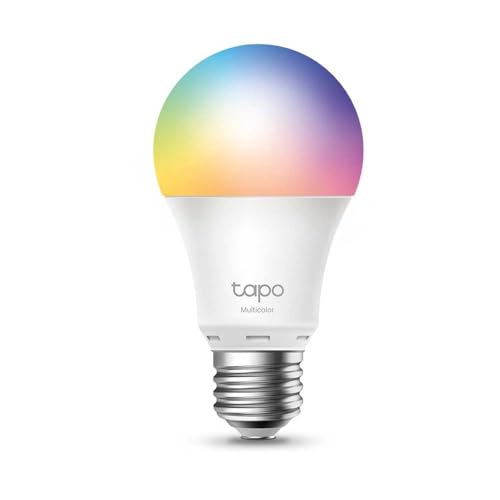
Tapo L530E
A reliable, affordable colour bulb that pairs natively with Zigbee on HA. Great for testing your setup before scaling up.
Best for:Validating your Zigbee setup before buying more devices
What people actually build with Home Assistant
🌡️
Energy monitoring dashboard
Track every device's power draw, see monthly usage, spot what's costing you money.
👤
Presence-based automation
Phone GPS + door sensor detects when you leave → all lights off, heating to eco mode. Runs locally with no cloud delay.
🌅
Wake-up routine
Lights gradually brighten from 0% at 6:45, reach full at 7:00. Synced to your calendar for weekdays only.
🔗
Cross-brand scenes
"Movie mode" dims Hue lights, closes IKEA blinds, turns on Tapo TV backlight — all in one tap.
Not sure if Home Assistant is your level?
Our quiz helps you find the right complexity level — from plug-and-play to full local control — based on your actual situation.
Find my setup level →Free • No account required • Instant results
Home Assistant FAQ for beginners
How long does it take to set up Home Assistant?
Plan for a weekend for the initial setup: install, add your devices, and build your first automations. After that, it grows as quickly as you want.
Can I run Home Assistant on a Raspberry Pi 4?
Yes — it's the classic setup. Use a quality SD card (Samsung Endurance) or an SSD for reliability. The official HA Green is easier if you want zero fuss.
Does Home Assistant work without internet?
Yes — that's the whole point. All automations, device control, and the dashboard work on your local network. Internet is only needed for external integrations.
What's the easiest Zigbee stick for HA?
The Sonoff Zigbee 3.0 USB Dongle Plus is the community favourite. It's well-supported by the ZHA integration and rarely has driver issues.
Can I migrate my existing Hue / Tapo setup to HA?
Yes — both have official HA integrations. Your existing bulbs, switches and automations import cleanly. You can keep the original apps running in parallel while you transition.
Related guides
Zigbee vs Wi-Fi vs Matter: which protocol?
SoonUnderstanding protocols makes Home Assistant setup much easier.
Read →
Do I really need a smart home hub?
SoonHA is a hub — here's how it compares to dedicated bridges.
Read →
10 automations worth setting up
SoonThe automations most HA users build first.
Read →