Smart Home Basics
Do I need a hub?
The honest answer in 3 minutes.
Everyone talks about hubs. Nobody explains when you actually need one. Here's a straight answer - no fluff.
Find my setup →Under 3 devices → no hub needed. Zigbee devices → yes, you need one. Big multi-brand setup → Home Assistant.
👇 Start hubless with Wi-Fi devices. Buy a hub only when you have more than 5 Zigbee devices.
Do you need a hub?
I want 1–5 lights, easy setup, no fuss
90% of beginnersWi-Fi bulbs connect directly to your router - no hub needed.
→ No hub required
I want 10+ devices or local automations
Zigbee hubs handle scale and work without internet.
→ A hub will pay off
I already use Alexa, Google Home or HomeKit
Those are hubs - you might already have what you need.
→ Check what you have first
What a hub actually does
🔗
Translator
A hub speaks Zigbee (or Z-Wave) and translates it into something your phone app and voice assistant understands. Without it, Zigbee devices are invisible to your network.
🧠
Automation brain
Hubs run automations locally - no internet required. When the motion sensor fires, the light turns on in 50ms. Not 2 seconds via cloud round-trip.
🌐
Single control point
Instead of 4 apps for 4 brands, one hub controls everything. Philips Hue, Ikea, Sonoff - all in one place.
Our tool finds your ideal setup in 60 seconds.
Find my setup →With hub vs without hub
| Option | Pros | Cons | Best for |
|---|---|---|---|
No hub (Wi-Fi)🏆 No hub needed |
|
| 1–5 devices, beginners, renters |
Philips Hue Bridge |
|
| Hue users with 5+ bulbs |
Home Assistant (advanced) |
|
| DIY enthusiasts, 15+ devices |
💡 Tip
The Hue Bridge costs €60 but unlocks local control, instant response, and a much better app experience for Hue bulbs.
For most beginners.
No hub needed
Start with Wi-Fi devices and skip the hub entirely. Add one only when you have Zigbee devices or need cross-brand automations.
Find my setup →⚠ Hub mistakes to avoid
- 1
Buying a hub before buying any devices
Start with 1–2 Wi-Fi devices first. Get a feel for smart home. Only buy a hub when you hit 5+ devices or need local automations - not as a first purchase.
- 2
Confusing voice assistants with hubs
Alexa and Google Home are voice interfaces, not protocol hubs. They can control Wi-Fi and Matter devices - but they don't speak Zigbee natively. You still need a Zigbee bridge for Zigbee devices.
- 3
Buying the Hue Bridge for just 2 bulbs
The Hue Bridge costs ~€60. With only 2 bulbs, Wi-Fi alternatives are half the price and just as good. The Bridge is worth it at 5+ bulbs or if you want local automations.
- 4
Installing Home Assistant as a first step
Home Assistant is powerful but has a real learning curve. Start simple: Wi-Fi bulbs + voice assistant. Graduate to HA when you need something it uniquely provides.
Not sure which one is right for you?
Find my setup →The right hub for your setup
Matched to your actual needs - not the most powerful option.
Just getting started? → Skip the hub for now.
 #1
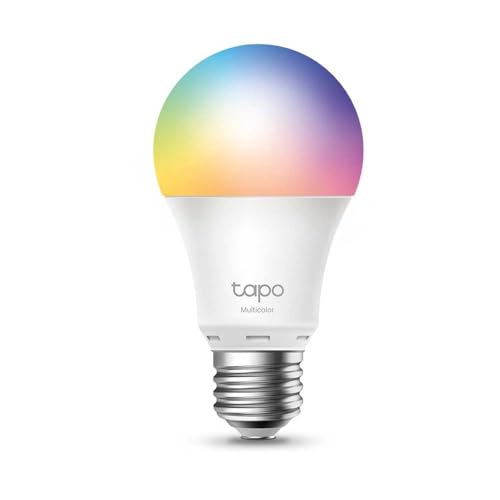
#1TP-Link Tapo L530E (no hub)
If you need 1–4 bulbs: skip the hub entirely. Tapo connects to Wi-Fi directly, works with Alexa and Google, and costs under €13 per bulb.
Best for:Best hub-free option - instant setup, no extra hardware.
Have 5+ bulbs or want local control? → Get the Bridge.
 #2
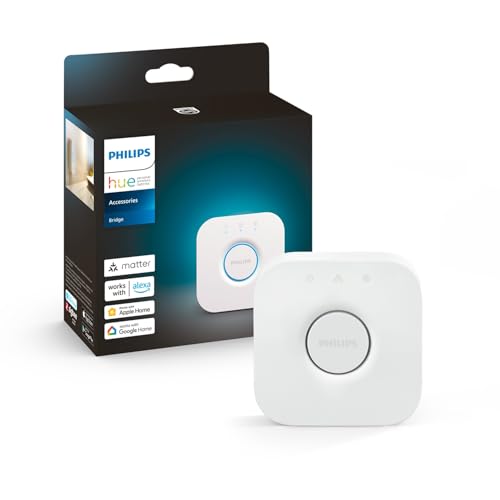
#2Philips Hue Bridge v2
The reference Zigbee hub for smart lighting. Controls up to 50 Hue lights locally, Matter-certified, and integrates with every major voice assistant.
Best for:Best hub for Hue setups - reliable, expandable, local.
Want a hub without the Hue price? → Aqara M2.
 #3
#3Aqara Hub M2
The best value Zigbee hub. Works with HomeKit, Alexa and Google Home natively. Controls hundreds of Zigbee devices from any brand - not just Aqara.
Best for:Best budget hub - triple ecosystem support, open Zigbee.
When a hub makes sense
🔢
10+ devices
Wi-Fi congestion becomes real. A Zigbee hub takes all smart home traffic off your router and onto its own network.
⚡
Instant local automations
Motion sensor → light on in 50ms. Not possible with cloud-based Wi-Fi automations. A local hub is the only way to get true instant response.
📵
Works offline
Internet down? Zigbee hub keeps running. Wi-Fi cloud devices stop responding. Critical for security lights and routines.
🔒
Privacy-first
A local hub means your device data stays at home - not on Amazon or Google servers. Important for security cameras and sensors.
🚀 Quick recommendation
Start hubless with Wi-Fi devices. Buy a hub only when you have more than 5 Zigbee devices.
Not sure if you need a hub?
Answer 5 quick questions and get a clear recommendation - hub or no hub, and exactly which products to start with.
Find my setup →Free · 60 seconds · No account needed
Frequently asked questions
Is Alexa a hub?
Not exactly. Alexa is a voice interface. It controls Wi-Fi and Matter devices natively, but needs a Zigbee bridge (like the Hue Bridge or Echo with built-in Zigbee) to control Zigbee devices.
Does the Philips Hue Bridge work with non-Hue bulbs?
Yes, with Zigbee-compatible bulbs from brands like Innr, IKEA, and Osram. The experience isn't always perfect, but it usually works. Hue bulbs give the best experience on the Hue Bridge.
What's the difference between a hub and a bridge?
Nothing meaningful for home use. 'Bridge' usually refers to a single-brand hub (like the Hue Bridge). 'Hub' or 'gateway' usually implies multi-brand support. Both translate between Zigbee and your home network.
Can I use Google Home as a hub?
For Wi-Fi and Matter devices, yes. Google Home can group devices and run automations. For Zigbee devices, you'll still need a Zigbee bridge - Google Home alone won't work.
What's the cheapest way to start with Zigbee?
A Sonoff Zigbee Bridge Pro (~€20) paired with Sonoff ZBMINIL2 modules (~€10 each) is the cheapest reliable Zigbee setup. Not beginner-friendly but very affordable.