Room-by-Room Guide
Smart lighting, room by room.
The right setup for each space.
Not every room needs the same solution. Here's exactly what works where - with product picks for each space.
Find my setup →Living room → color bulbs. Bedroom → warm white dimmable. Hallway → motion module. Kitchen → smart switch.
👇 Map each room before buying: hallway = motion module, bedroom = warm bulb, kitchen = smart switch.
Which room are you starting with?
Living room - ambiance + automation
Most popularYou want scenes, dimming and motion control.
→ Smart bulbs + smart switch combo
Bedroom - calm lighting for sleep
Warm tones, voice control, wake-up routines.
→ Smart bulbs on lamps
Hallway - hands-free convenience
Lights on automatically when you walk in.
→ Module + motion sensor
Why room type matters
🎭
Ambiance rooms
Living rooms and bedrooms benefit most from dimmable color-changing bulbs. Scenes (movie, relax, energize) make the difference here.
🚶
Transit rooms
Hallways, entrances and stairways benefit most from motion automation. You rarely need a color bulb here - just reliable on/off.
🍳
Functional rooms
Kitchens and offices need bright, reliable light with simple control. Smart switches or modules are often cleaner than bulbs in built-in fixtures.
💡 Tip
Use cooler light (4000K) in the kitchen and office. Use warmer light (2700K) in the bedroom and living room. The difference is huge.
Our tool finds your ideal setup in 60 seconds.
Find my setup →Room-by-room setup guide
| Option | Pros | Cons | Best for |
|---|---|---|---|
Living room🏆 Warm white everywhere |
|
| Ambiance scenes + easy ceiling control |
Bedroom |
|
| Sleep routines + morning wake-up automation |
Hallway / entrance |
|
| Hands-free auto on/off every time |
Kitchen |
|
| Clean, reliable ceiling control |
Most flexible choice.
Warm white everywhere
Warm white dimmable bulbs work in every room. Add color only in the living room - that's where you'll actually use scenes.
Find my room setup →⚠ Common room-by-room mistakes
- 1
Putting color bulbs everywhere
Color bulbs in the kitchen or hallway are overkill. Save them for living rooms and bedrooms. Modules or white bulbs are cheaper and just as effective in transit and functional spaces.
- 2
Ignoring the ceiling light in the living room
Most people put smart bulbs in floor lamps and forget the ceiling. A module behind the ceiling switch gives you full control without replacing the fixture.
- 3
No motion automation in the hallway
The hallway is the easiest win in smart home. A €15 motion sensor + €10 module = lights on every time you walk in. Takes 30 minutes to set up.
- 4
Buying the full Hue ecosystem for a single bedroom
For one bedside lamp, a €13 Wi-Fi bulb works as well as a €50 Hue bulb. Start cheap, upgrade later when you know what you actually need.
Not sure which one is right for you?
Find my setup →The right product for each room
Matched to how each space is actually used.
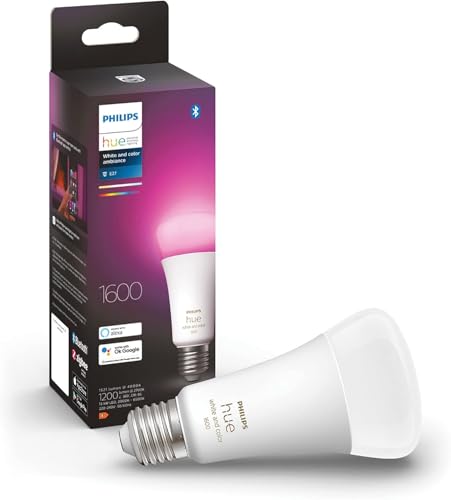
Living room or bedroom? → Start here.
 #1
#1Philips Hue White & Color E27
The living room and bedroom bulb. 16 million colors, excellent dimming, scenes out of the box. Worth the premium where ambiance matters.
Best for:Living rooms and bedrooms - best color and ambiance.
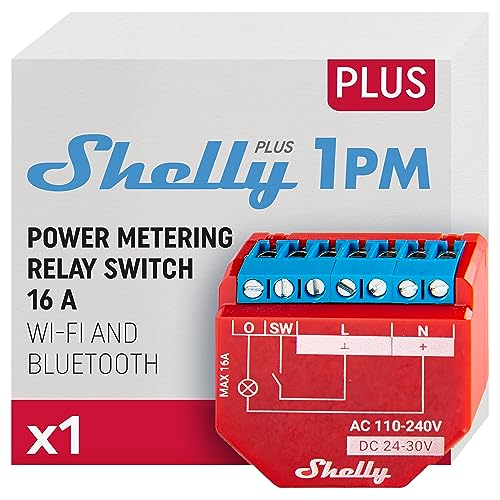
Hallway or kitchen? → Module is the smarter call.
 #2
#2Shelly Plus 1PM
The hallway and kitchen solution. Hides behind your existing switch, keeps the wall aesthetic, and adds full automation. No hub needed.
Best for:Hallway and kitchen - retrofit automation, no bulb change.
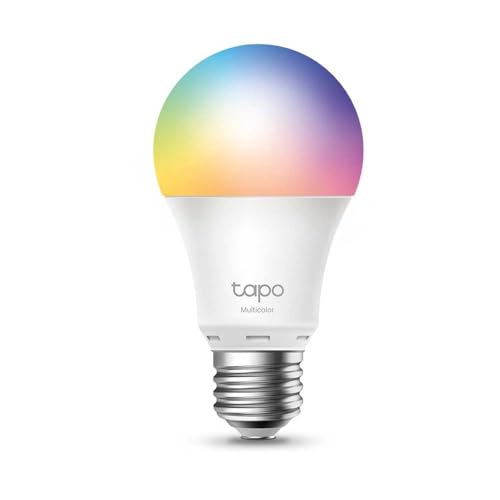
Want lights to turn on automatically? → Add this.
 #3
#3TP-Link Tapo T100 Motion Sensor
Pairs with any smart bulb or module. Stick it in the corner of a hallway or entrance and your lights turn on the moment you enter. Setup in 5 minutes.
Best for:Hallway auto-trigger - instant hands-free lighting.
Room setups at a glance
🛋️
Living room
Color bulbs in lamps + module on ceiling = full control, great ambiance, one app.
🛏️
Bedroom
Two smart bulbs on nightstands. Wake-up schedule. Voice off at bedtime. Done.
🚪
Hallway
Module + motion sensor. Auto on when you arrive, auto off after 3 minutes. Zero effort.
🍳
Kitchen
Smart switch on the ceiling fixture. Bright white, app or voice control. Clean install.
🚀 Quick recommendation
Map each room before buying: hallway = motion module, bedroom = warm bulb, kitchen = smart switch.
Want a room-by-room plan for your home?
Answer 5 questions and get a precise recommendation - the right products for each room, in the right order, at the right budget.
Find my setup →Free · 60 seconds · No account needed
Frequently asked questions
Do I need different products for different rooms?
Yes - room function matters. Ambiance rooms (living, bedroom) benefit from color bulbs. Transit rooms (hallway, entrance) benefit from motion modules. Functional rooms (kitchen, office) just need reliable white light.
What's the best single smart home investment per room?
Living room: a color bulb in the main lamp. Bedroom: one smart bulb on your nightstand. Hallway: a module + motion sensor. Kitchen: a smart switch on the ceiling. Pick one per room and expand later.
Can I use smart bulbs in ceiling fixtures?
Yes, if the fixture uses standard E27 or E14 bulb sockets. For recessed LED panels or built-in downlights, a smart module on the switch is the better approach.
How many smart lights do I actually need per room?
Start with one per room. One smart bedside lamp changes how you use your bedroom. One smart floor lamp changes your living room evenings. Don't over-buy on the first pass.
Is a motion sensor hard to set up?
Wi-Fi motion sensors like the Tapo T100 are dead simple - peel the backing, stick to the wall, pair with the app. Takes 5 minutes. Zigbee sensors are just as easy if you already have a hub.